
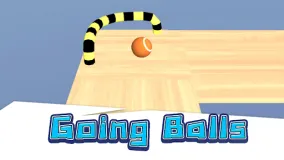
Going Balls 3D
In Going Balls 3D, players control a ball that rolls continuously forward along tracks suspended in mid-air. The primary goal is to navigate the ball past all obstacles and reach the finish line without falling off the track.








In Going Balls 3D, players control a ball that rolls continuously forward along tracks suspended in mid-air. The primary goal is to navigate the ball past all obstacles and reach the finish line without falling off the track.
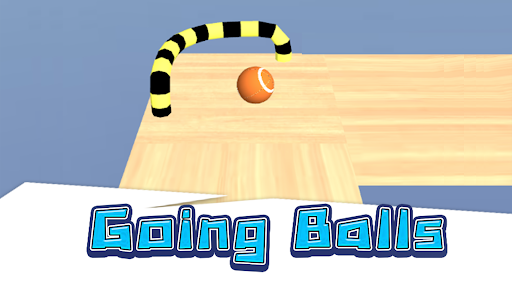
Game Objectives:
Going Balls 3D focuses on two key tasks: safely guiding the ball along the track and collecting coins scattered throughout the journey.
Safely Guiding the Ball to the Finish Line:
The tracks in Going Balls 3D are often suspended in the air and feature many narrow sections. Consequently, keeping the ball from falling off the track is paramount.
You must maneuver the ball through various track segments, overcome difficult areas, and keep moving forward. If the ball falls off the track, the level ends, and you must retry the challenge. Successfully reaching the finish line allows you to proceed to the next levels.
Collecting Coins Along the Track:
In addition to reaching the finish line, Going Balls 3D places coins at various locations along the path. This serves as a secondary objective for players who wish to explore each level more thoroughly.
Not all coins are located directly on the main path; collecting them requires strategic adjustments to the ball's movement. The challenge lies in gathering these items while ensuring the ball does not veer too far off course and fall off the track.
Controlling the Ball in Going Balls 3D:
Control mechanics are a crucial aspect of Going Balls 3D. Instead of relying on simple directional keys, players must coordinate the direction and distance of their mouse drags to control the ball's movement.
Ball Movement:
To control the ball, place your cursor over it, click and hold the mouse button, and drag in the desired direction of movement. Upon releasing the mouse button, the ball begins to move based on the direction and length of the previous drag.
The drag distance significantly affects the movement. A short drag usually results in a shorter, more controllable movement. Conversely, a long drag can generate greater momentum, sending the ball further but also increasing the risk of losing control.
Therefore, players should consider both direction and drag force before each move. Dragging too hard might cause the ball to overshoot the target, while dragging too lightly might result in insufficient distance to clear obstacles.
Mouse control instructions:
- Position the mouse cursor over the ball.
- Click and hold the mouse button.
- Drag the mouse in the direction you want the ball to move.
- Adjust the drag length to control the force.
- Release the mouse button to set the ball in motion.
- Mastering drag force
Going Balls 3D offers a simple yet engaging ball-rolling experience. Players must guide the ball through challenging tracks, avoid obstacles, and attempt to reach the finish line safely.